For the founder whose Postgres lives on Supabase
An admin panel for your Supabase database your team can use
The Supabase dashboard is built for the developer who owns the project. Your teammate who refunds orders or fixes a user record needs less than that. Paste the Postgres connection string and hand them a panel with only your tables.
Three steps
- 1
Paste the connection URL
In Supabase click Connect at the top of your project and copy the Session pooler connection string. Replace the password placeholder with your database password.
- 2
Get the panel
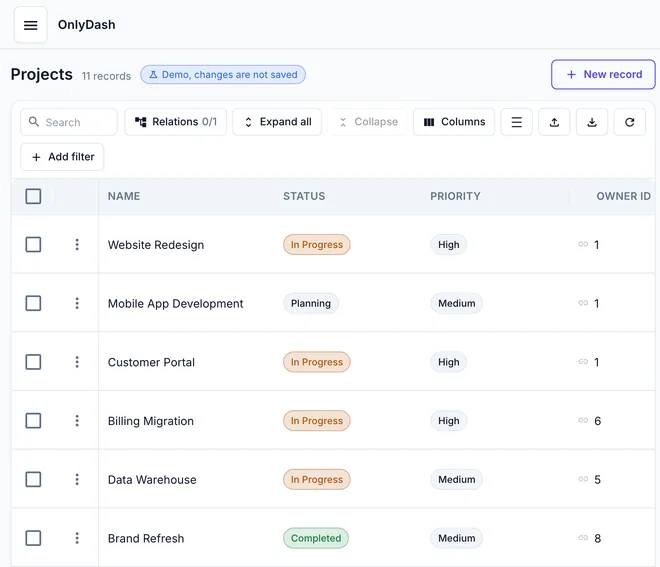
OnlyDash reads the schema, samples up to 1,000 rows per table, and builds a table view, filters and an edit form for every table. A 43-table schema takes about 20 seconds.
- 3
Hand the link to a teammate
Click Create invite link and send it. They open the tables you connected, no SQL client and no database password.
A Supabase session pooler string looks like this
postgresql://postgres.yourprojectref:[email protected]:5432/postgresBefore you paste
- Use the session pooler
- Supabase direct connections are IPv6-only unless you buy the IPv4 add-on. The session pooler string works over IPv4.
- Your tables, not Supabase's
- OnlyDash reads the public schema, where your app tables live. The auth and storage schemas stay out of the panel.
- Row Level Security
- The connection uses a database role, not a Supabase API key. Connect with a role scoped to what your team should see.
- No Supabase seat needed
- Your teammate gets an OnlyDash invite link. They never get access to your Supabase organisation.
See it on a real schema first
The guest demo runs on a 43-table Postgres database. Read-only, nothing to install.
Free for one database and one teammate. $39/month per database after that.